
The monitoring check interval is how often a monitor tests your site, and together with confirmations it sets how quickly you learn about an outage: with 2 confirmations, a 1-minute interval confirms a full outage within about 1 to 2 minutes, a 5-minute interval within about 5 to 10. Pick short intervals for revenue-critical pages and APIs, longer ones for pages and certificates that change slowly.
Key takeaways
- AllInOneMonitor offers intervals of 30 seconds and 1, 2, 5, 10, 15, 30 or 60 minutes; your plan sets the fastest one you can choose.
- Detection time is roughly the interval times the confirmations, so both settings matter.
- An outage shorter than the interval can fall between two checks and never be seen.
- The timeout (5 to 120 seconds) decides when a slow answer becomes a failure; it is separate from the interval.
- Not every monitor needs the fastest interval: match it to how quickly a failure costs you.
What the check interval controls
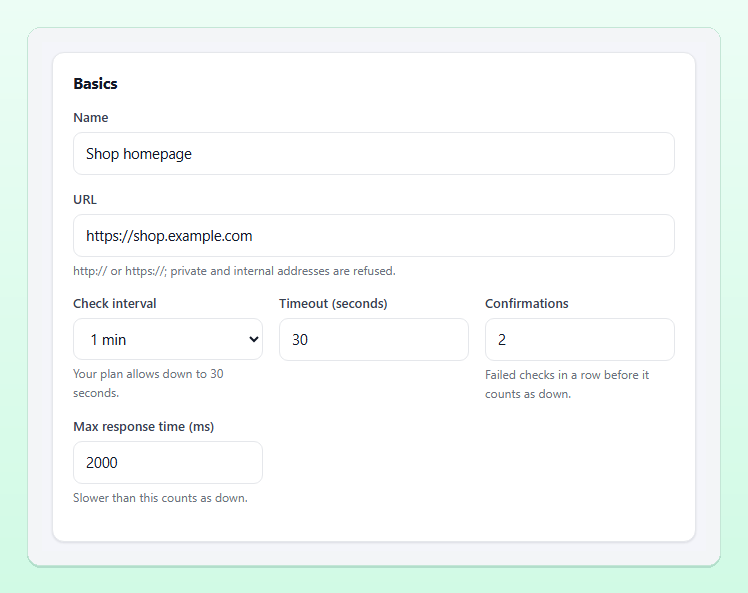
Every monitor has a Check interval in the Basics card of the monitor form. It is the time between two checks from the same location. The drop-down offers the intervals your plan allows, and the hint below it says how far down your plan goes. If a faster value arrives through the API, it is clamped to the plan's minimum. The available plans are compared on the Pricing page.
Two monitor types work differently. A Heartbeat monitor is not probed at all: your job calls a URL, and you set the expected interval (30 seconds to 7 days) plus a grace period, as explained in our cron job monitoring guide. Server agents have their own Report every (seconds) setting on the server form.
The arithmetic of detection time
A check only sees what is happening at the moment it runs. When an outage starts, the next check may come almost immediately or nearly a full interval later. With one location and Confirmations set to 2, the monitor turns Down after two failed checks in a row. So a complete outage is confirmed between one and two intervals after it starts, plus the time the checks themselves take:
| Interval | Checks per day | Confirmed down after (2 confirmations) |
|---|---|---|
| 30 seconds | 2,880 | 30 to 60 seconds |
| 1 minute | 1,440 | 1 to 2 minutes |
| 5 minutes | 288 | 5 to 10 minutes |
| 15 minutes | 96 | 15 to 30 minutes |
| 60 minutes | 24 | 60 to 120 minutes |
A worked example: "Shop homepage" is checked every minute with 2 confirmations, at 20 seconds past each minute. The site breaks at 10:00:30. The check at 10:01:20 fails, the check at 10:02:20 fails again, and the monitor turns Down, opens an incident and alerts about 110 seconds after the failure began. Had the site broken at 10:01:10 instead, the same two checks would have confirmed it after about 70 seconds.
Compare that with an uptime target. A 99.9% target allows 43 minutes 12 seconds of downtime in a 30-day month (0.1% of 43,200 minutes). At a 15-minute interval with 2 confirmations, merely noticing an outage could take up to 30 minutes, most of that monthly budget, before anyone starts fixing anything. At a 1-minute interval, detection costs at most about 2 minutes. Our uptime SLA calculation guide goes deeper into these budgets.
Short outages can slip between checks
A 5-minute interval can miss an outage shorter than 5 minutes entirely: the site fails after one check and recovers before the next. With 2 confirmations, an outage is only certain to be confirmed when it covers two consecutive checks, which means it lasts about two intervals.
Is that a problem? Sometimes. A 90-second restart during a deploy may not matter for a blog. For a checkout or a public API, repeated 2-minute failures can mean lost orders and failed integrations, and you want to see them. A shorter interval makes those patterns visible in the results and response-time chart, even when they are too short to trigger an alert.
Tip: Do not lower confirmations to 1 to compensate for a long interval. A single failed check is often a network hiccup, and one-check alerts are the fastest way to train a team to ignore alerts. Shorten the interval instead, and read our guide on how to reduce false alerts.
1-minute vs 5-minute checks: choosing per monitor
How often to check website uptime depends on what a minute of failure costs. A practical starting point:
| What you monitor | Suggested interval | Why |
|---|---|---|
| Checkout, login, payment or public API | 30 seconds to 1 minute | Every minute of failure costs money or breaks integrations |
| Main website and key landing pages | 1 to 5 minutes | Fast enough to beat customer reports |
| Transaction journeys | 1 to 5 minutes | Several requests per run; still light |
| Browser monitors | 5 minutes or more | Each check starts a real browser and uses far more CPU and memory |
| Ports, DNS and databases | 1 to 5 minutes | Infrastructure failures spread quickly to everything above |
| SSL certificates and domains | 30 to 60 minutes | Expiry is measured in days; the expiry warning goes out once a day |
30-second monitoring is worth it where seconds matter and the plan includes it. For everything else, a slower interval leaves room in your plan's monitor count for monitors that catch different failures: a keyword check, an SSL monitor, a database check.
Timeout settings and the other knobs
The interval decides when a check runs; three other settings in the same card decide what counts as failed:
- Timeout (seconds), 5 to 120, default 30: an answer that has not arrived in time is a failure. For a normal web page, 10 to 15 seconds is often a sensible line; a slow report endpoint may need more.
- Confirmations, 1 to 10: failed checks in a row (or failing locations) before the monitor counts as down. The getting-started guide recommends 2.
- Max response time (ms) on HTTP, keyword, API, ping and DNS monitors: a slower answer counts as down, even when it arrives within the timeout.
Keep the timeout well below the interval for short intervals: a 30-second interval with a 30-second timeout means a hanging server is barely finished failing before the next check starts. All options are described in the monitors documentation.
Intervals and multiple locations
With several locations, each location checks on the interval, and the status is decided from the newest result of each location within two intervals. Confirmations then mean "this many locations must see the failure". That changes the arithmetic in your favour: two locations that check independently often see a failure sooner than one location checking twice, and a problem seen by only some locations is reported as Degraded instead of Down. How locations and probes work is explained in the probes documentation.
Keep an eye on the result
Whatever intervals you choose, the Dashboard is where the outcome shows up: an overview of monitors up, down and degraded, the monitors that need attention, recent alerts and incidents, and certificates and domains that expire soon.
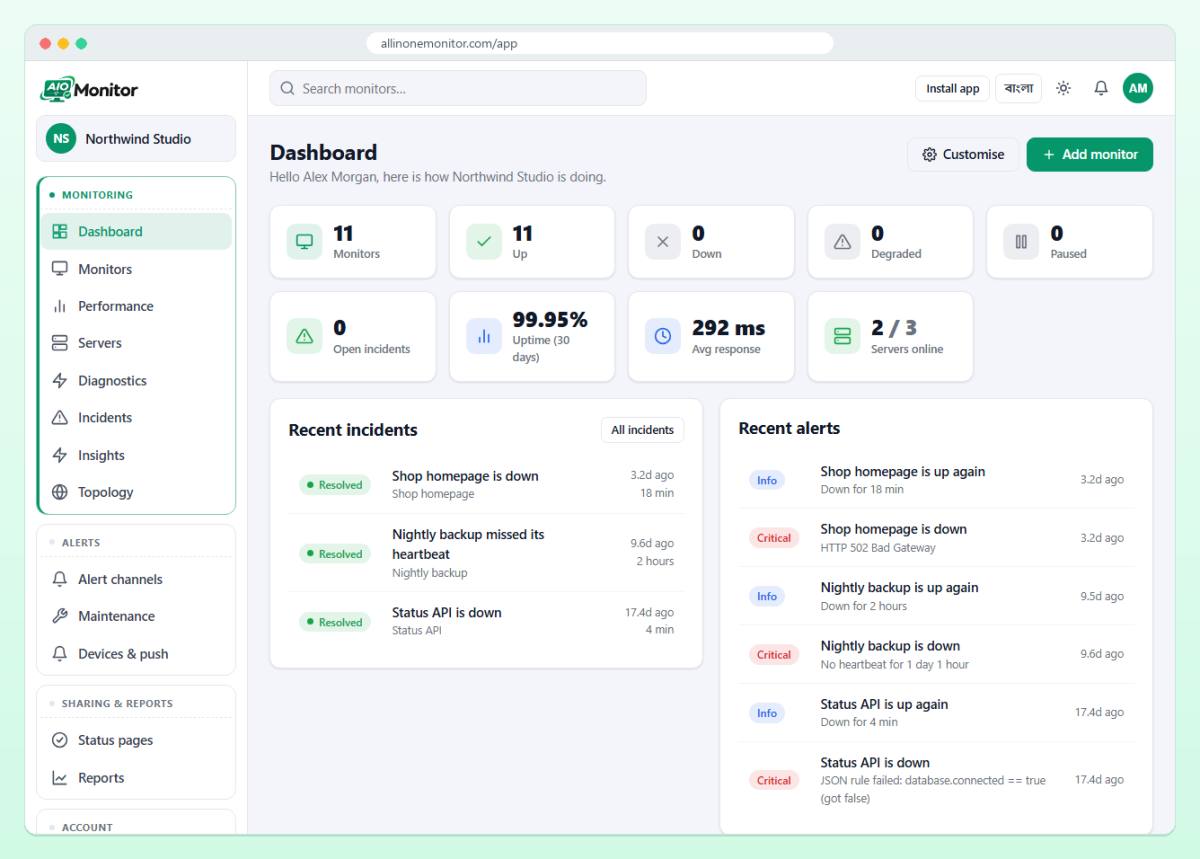
Review intervals once in a while. A page that became revenue-critical deserves a faster check; a retired campaign page can drop to 60 minutes or be paused.
Frequently asked questions
How often should I check my website's uptime?
For most business websites every 1 to 5 minutes is a good balance. Use 30 seconds to 1 minute for checkout, login and APIs, and 30 to 60 minutes for SSL certificates and domains.
Is 1-minute monitoring much better than 5-minute monitoring?
With 2 confirmations, a 1-minute interval confirms a full outage within about 2 minutes, a 5-minute interval within about 10, and the 5-minute interval can miss outages shorter than 5 minutes.
What timeout should a website monitor use?
The timeout can be set from 5 to 120 seconds and defaults to 30. Many sites use 10 to 15 seconds and add a Max response time if slow pages should count as down.
Why can't I pick a 30-second interval?
The fastest interval depends on your plan. The hint under the Check interval drop-down shows your plan's minimum; see the Pricing page for plans with faster checks.
Hear about outages in minutes, not hours
Set the right interval for each page, API and certificate, and let confirmations keep the alerts trustworthy.