
Port monitoring checks, on a schedule, that a service on a host still accepts connections on its port: SSH on 22, SMTP on 25, MySQL on 3306, your control panel on its own port. A TCP port check opens a connection and measures how long it took; a banner check goes one step further and confirms that the right program answered.
Key takeaways
- A port check catches services that a website check never touches: mail, SSH, databases, panels and remote desktop.
- AllInOneMonitor labels well-known ports automatically and reads the greeting of SSH, FTP, SMTP, POP3 and IMAP on their standard ports.
- Expect banner turns the check Down when the greeting does not contain your text, which catches the wrong service behind an open port.
- UDP checks send a real query on port 53 (DNS) and 123 (NTP); other UDP ports are best-effort by nature.
- For deeper checks of databases and mail servers, use the dedicated protocol monitors instead of a bare port.
What a TCP port check actually proves
When a monitor connects to host:port over TCP, the operating system on the other side has to complete the handshake. If it does, three things are true: the host is reachable from the monitoring location, a firewall is letting the traffic through, and some program is listening on that port. If the connection is refused or times out, at least one of them is not.
That is more than a ping tells you (a host can answer ICMP while its mail server has crashed) and less than an application check tells you (a database can accept connections while refusing every login). Port monitoring sits in the middle: cheap, fast, and the right tool for every service that does not speak HTTP.
Which ports to monitor
Start from the services your customers or your team would notice first. AllInOneMonitor recognises common ports and shows their name next to the result:
| Port | Service | Why watch it |
|---|---|---|
| 22 | SSH | Your way into the server when something else breaks |
| 25, 465, 587 | SMTP, SMTPS, submission | Incoming mail and mail sent by your apps |
| 110, 995, 143, 993 | POP3, POP3S, IMAP, IMAPS | Mailbox access for staff and customers |
| 3306, 5432 | MySQL, PostgreSQL | Databases that must be reachable from app servers |
| 6379, 11211, 27017 | Redis, Memcached, MongoDB | Caches and document stores |
| 2083, 2087, 2222, 8443, 8090, 10000 | cPanel, WHM, DirectAdmin, Plesk, CyberPanel, Webmin | Hosting control panels your clients log in to |
| 3389 | RDP | Remote desktop on Windows servers |
Ports 80 and 443 are recognised too, but for a website an HTTP(S) monitor is the better choice because it also checks status codes, redirects and the certificate.
How to set up a port monitor
- Open Monitors and click Add monitor.
- Under What to monitor, choose Port.
- In Basics, enter a Name such as "SSH web-01" and the Host: a hostname or IP address. You can also type
host:porthere. - Choose the Check interval and the Timeout (seconds). A port that answers at all usually answers in well under a second, so a long timeout only delays bad news.
- Set Confirmations, the number of failed checks in a row before the monitor counts as down. Two is a good default for ports.
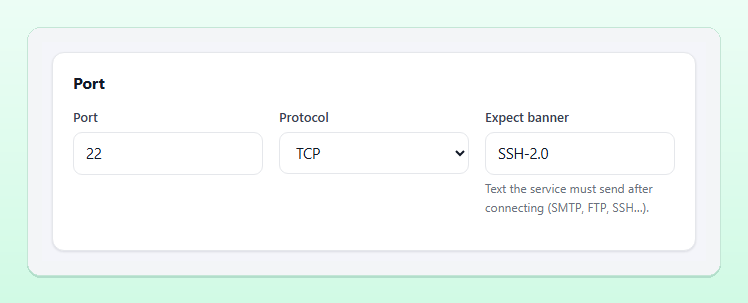
- In the Port card, enter the Port number, leave Protocol on TCP, and fill in Expect banner if the service sends a greeting.
- Choose locations and alert channels, press Test now to see the result straight away, then Create monitor.
The target must be a public address. Private and reserved ranges are refused by the platform's network guard unless the administrator has allowed private targets, so a database that only listens on an internal network cannot be checked from outside. For those, a server agent on the host is the better tool, as described in our Linux server monitoring guide.
Service banner checks: is the right program answering?
An open port is not always a healthy service. A process can hang after accepting connections, a load balancer can accept the handshake and then have nowhere to send it, and after a migration a port can be answered by a different program than you think. A banner check catches these cases.
For SSH, FTP, SMTP, POP3 and IMAP on their standard ports (22, 21, 25, 587, 110 and 143), the monitor reads the first line the server sends. For Redis on 6379 it sends PING and stores the reply; for MySQL on 3306 it reads the server version. The text is kept in the result details, which is handy on its own: you can see the SSH or MySQL version change after an upgrade.
When Expect banner is filled in, the check is Down unless the banner contains that text. The comparison ignores upper and lower case. Typical values:
SSH-2.0          (any SSH server)
220              (SMTP or FTP greeting)
+OK              (POP3)
* OK             (IMAP)
PONG             (Redis answering PING)
A failed banner check reports Banner does not contain "...", which is a much clearer starting point than a generic timeout.
Tip: Banners are read only on the standard ports listed above. If you run SSH on a custom port such as 2222, leave Expect banner empty, or the check will always be Down because no banner was read.
UDP port monitoring and its limits
UDP has no handshake, so "is the port open?" has no general answer: most UDP services simply ignore a packet they do not understand. AllInOneMonitor handles this honestly. Set Protocol to UDP and:
- on port 53 it sends a real DNS query and expects an answer;
- on port 123 it sends an NTP request and expects a valid reply;
- on any other port the check is best-effort: only an ICMP "port unreachable" counts as Down, because silence is normal for UDP.
So UDP monitoring is reliable for your own DNS and time servers. For other UDP services (VPN, game servers, VoIP) treat a green result as "not refused", not as proof the service works. If you run your own nameserver, a DNS monitoring check against it tells you more, because it also verifies the answer.
Port check or protocol monitor?
A port check is the quickest way to watch a database or mail server, but AllInOneMonitor also has protocol monitors that go further:
- MySQL / MariaDB and PostgreSQL sign in and run a read-only query, and report connections and replication lag.
- Redis, MongoDB and Memcached report memory, connections and hit ratio.
- SMTP, IMAP, POP3 and FTP check the greeting, TLS and the certificate, with an optional sign-in.
Use a port monitor when you only need reachability, or when you do not want to store credentials. Use a protocol monitor when "accepting connections" is not enough. Both are described in the database and mail server monitor docs, and our MySQL monitoring guide walks through one in detail.
Reading results and keeping the list tidy
Every port check stores the IP that was used, the port and its service name, the banner when one was read, and the time it took to connect. That connect time is the monitor's response time, so a port that suddenly takes far longer to accept connections shows up on the chart before it fails completely.
Once you have a dozen port monitors next to your websites, the list gets long. Use groups (for example one per server) and coloured tags, and filter the Monitors list by type, status, group or tag.
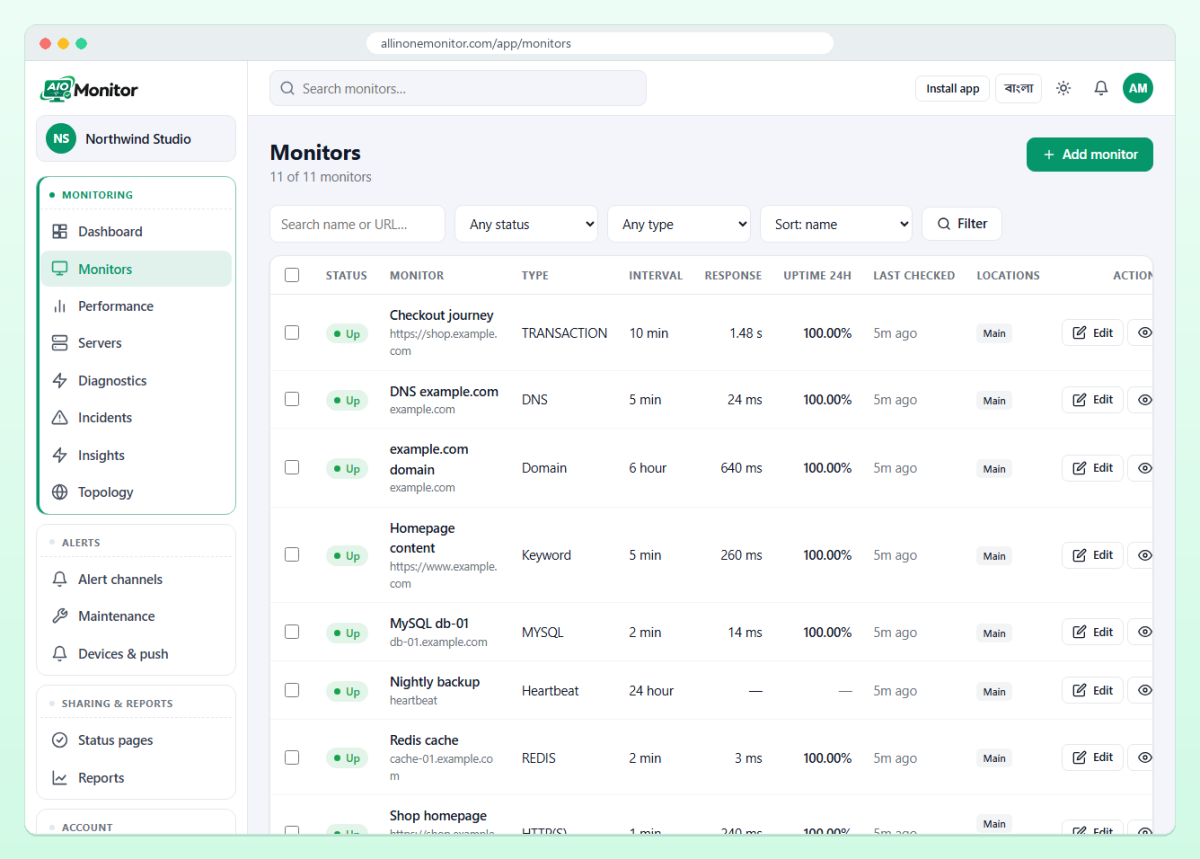
When a port check fails, an incident opens after the confirmations you set, and recovery closes it with the duration. If several monitors on the same IP fail together, they are grouped into one notice instead of one message per port; see the monitor documentation for every option.
Frequently asked questions
What is the difference between ping and a TCP port check?
Ping only shows that the host answers ICMP. A TCP port check shows that a program is listening on a specific port and that the firewall lets you reach it, which is what your users actually need.
Can I monitor open ports on a private network?
Not from the public monitoring locations: private and reserved addresses are refused unless the administrator allows private targets. Install a server agent on the host to watch internal services.
Is UDP port monitoring reliable?
For DNS on port 53 and NTP on port 123, yes, because a real request is sent. For other UDP ports the check can only detect an explicit "port unreachable", so it is best-effort.
How do I check that SSH is really running, not just the port?
Fill in Expect banner with SSH-2.0 on port 22. The check then fails unless the server sends an SSH greeting.
Watch every port that matters
Add SSH, mail, database and panel ports next to your websites and get one alert when any of them stops answering. See everything a monitor can do on the features page.